In dermatology photography the value of an image is not how flattering it looks — it is whether the next image, taken weeks later, can be compared against it honestly. That comparison only survives if the camera holds colour still. This article is about the imaging system, not a medical protocol: what drifts between visits, why "auto" is usually the culprit, and what a locked colour pipeline looks like in a device you put your name on.
Serial documentation lives or dies on a simple property: the only thing that should change between two captures is the subject. Same illuminant, same distance, same exposure behaviour, same colour response. When any of those move, the reviewer is left guessing whether a difference in the image is the skin or the camera — and a documentation system that injects doubt has failed at its one job, no matter how sharp the optics are.
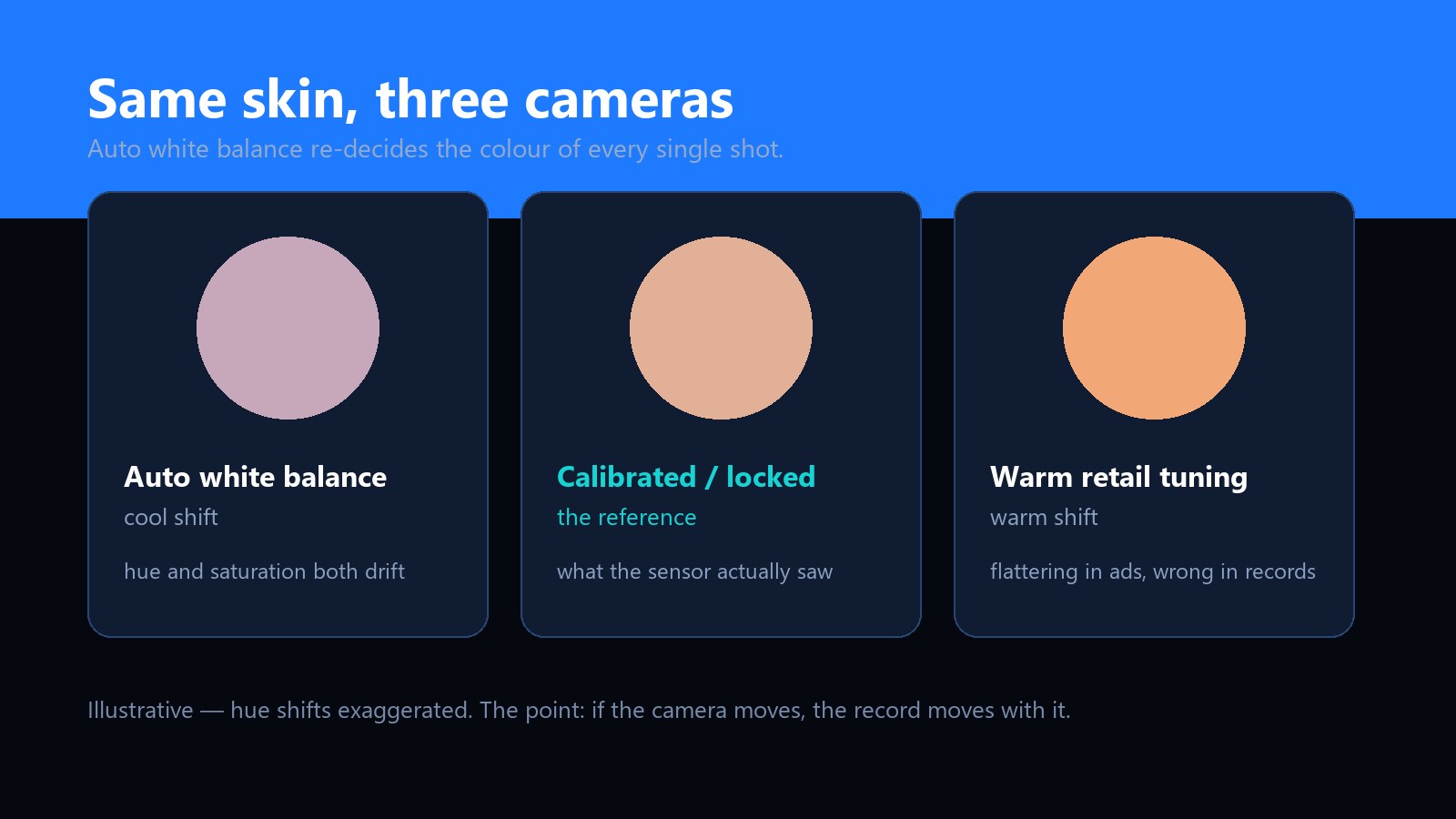
This is the quiet difference between a consumer camera and a documentation instrument. A phone camera is tuned to make every photo pleasant: it re-balances colour, lifts shadows and smooths tones frame by frame. For social photos that is a feature. For a baseline-versus-review record it is a defect, because the processing is a variable you cannot see and cannot repeat.
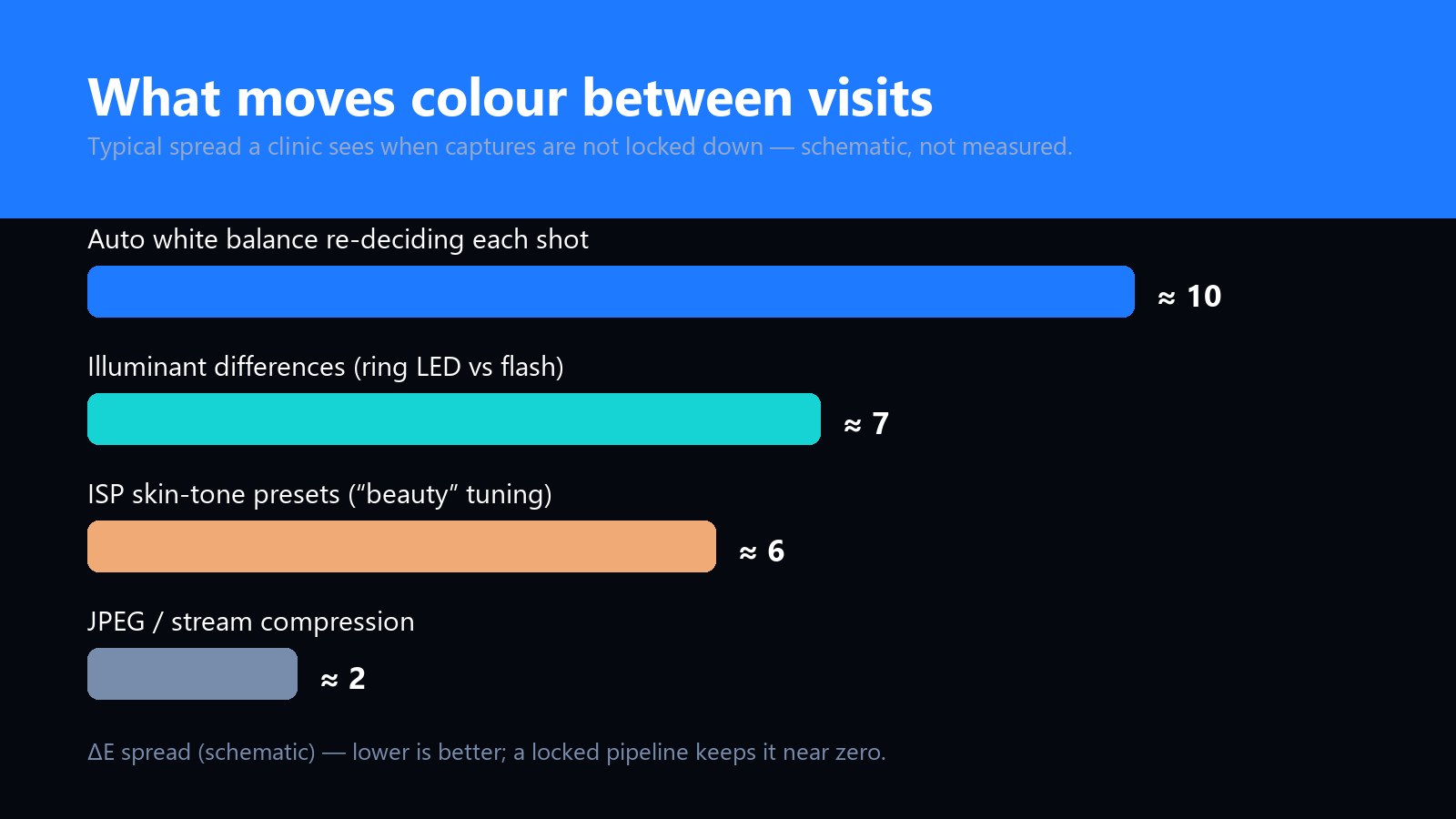
When a clinic reports that "the photos don't match between visits", the cause is almost always one of four things, and they are not equally guilty.
"Calibrated" is not a certificate you print; it is a set of behaviours the device refuses to change. In a documentation-grade dermatoscope, the checklist reads:
One practical addition closes the loop: photograph an inexpensive colour reference card with the same device and illuminant, and any drift that does occur becomes visible and correctable instead of silent. A clinic that archives one reference frame per session can prove its own consistency years later.
Specular glare off moist skin reads as paleness, and pale reads as "changed". A cross-polarised mode strips that glare so the captured colour is the tissue's, not the ring light's reflection. We covered the mechanics in our polarisation guide; the point for records is that polarisation is part of colour control, which is why the UB-DM023B makes white, UV and cross-polarised modes explicit software-switchable states rather than an adaptive lamp.
If you distribute or brand dermal imaging devices, note that none of the above is decided at the sensor spec sheet — it is decided in the ISP tuning and in the capture application. Two devices on the identical sensor can behave completely differently: one chases pleasing photos, the other holds a locked profile. When we build OEM programmes we treat the colour pipeline as part of the deliverable:
The same discipline carries into any imaging product where the record matters more than the preview — our software and SDK team builds both the tuning and the application side. For the hardware itself, the UB-DM023B UV / white-light dermatoscope ships with a calibrated, locked colour profile as standard.
Buying for documentation? Ask one question before megapixels: "can this device produce the same colour for the same skin twice?" If the answer involves auto white balance, adaptive lighting or beauty presets, the images will drift and every follow-up comparison inherits that doubt. Shipping a branded device? Demand the locked profile in writing — it is a firmware decision, and it is free at the right stage of the project.
Post-correction can normalise a reference card, but it cannot recover what the sensor actually recorded under a shifted illuminant — some spectral information is simply gone. Worse, every file needs its own correction, so the "correction" becomes a new variable. Locking the capture is cheaper and more defensible.
No. Resolution is spatial; colour fidelity is spectral and pipeline behaviour. A 2MP device with a locked profile produces far more comparable records than a 12MP device that re-balances every frame. Resolution pays off in detail and cropping, not in colour truth.
A practical routine: capture the colour reference card at the start of each session and archive it with the images. The card costs little, takes seconds, and turns colour consistency from a claim into a record. LED output drifts slowly over years — the archived references will show it long before a patient comparison would.
Partially. A custom application can lock exposure, disable cosmetic presets, force high-quality stills and enforce a capture workflow, which removes most operator-level variance. White balance behaviour that is baked into the device firmware cannot always be overridden from the app — which is why the pipeline should be specified before the firmware is frozen.
Ask for the colour pipeline in the specification, not the brochure: a locked white-balance capture profile, defined illumination modes, disabled cosmetic processing, and a branded application that enforces the workflow. Our UB-DM023B is available as an OEM platform with exactly that scope, and the OEM/ODM briefing guide shows how to structure the first conversation.
Crossed polarisers kill glare from solder mask, polished metal and wet skin. They also cost light — here is where the trade is worth it.
Read the article →What to specify, what to leave to the factory, and the details that decide whether a custom build ships on schedule.
Read the article →